Coursework & Marking
Set it, hand it in, mark it, send it home.
Teachers set work and see at a glance who has handed it in. Students submit a document or a photograph of a page. Marks and feedback reach home — and the whole trail feeds the report card at the end of term.
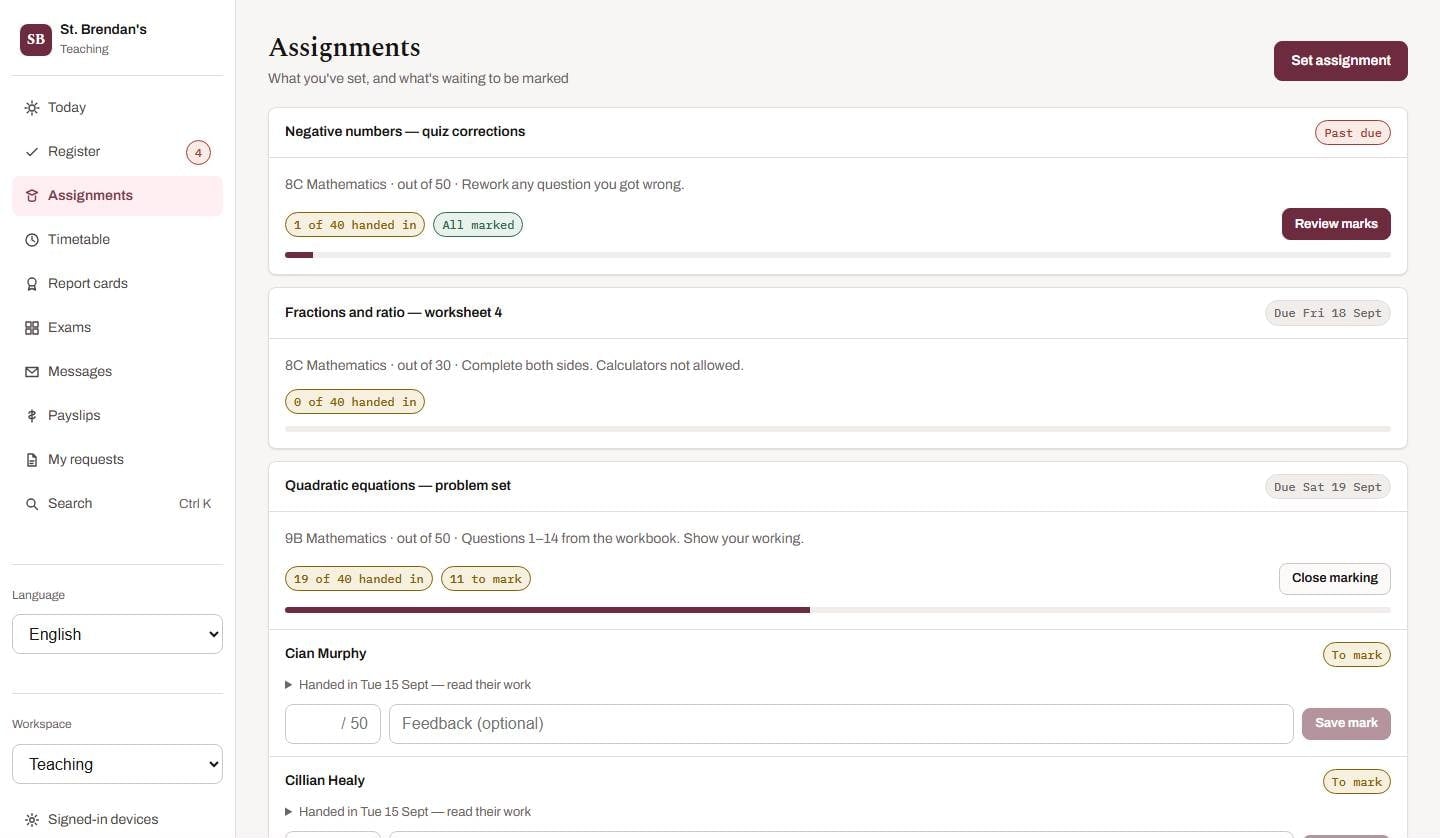
Handed in, marked, fed back — at a glance.
Why schools choose it
Coursework, done thoughtfully.
See who has handed in what
Every assignment shows how many have handed in and how many are marked, with a progress bar you can read from across the room.
Files that stay private
Only the student, their guardians and the teacher who marks the class can open a piece of work. Nobody else — enforced by the server.
Marking feeds reporting
Marks and feedback recorded here become the evidence behind term report cards, so nobody re-types anything.
What’s inside
Everything in coursework & marking.
- Set assignments with title, marks available and a due date
- Students hand in text and files — including a photo from their phone
- Marking screen with a mark and feedback per student
- Progress bars of handed-in and marked work
- Feedback and marks visible to the student and their guardians
- Marked work pre-fills report-card drafts
Who benefits
Good for everyone who touches it.
Teachers
Mark once; the mark works for the parent, the student and the report.
Students
Hand in from your phone; see feedback when it's ready.
Families
See how work is going without waiting for parents' evening.
Availability
Included in every subscription.
Questions
About coursework & marking.
Is this a full learning management system?
Schoolhouse covers assignments, hand-in, marking and feedback. If you need a full LMS, we can integrate with the one you already use.
Keep exploring
Mobile Apps & Family Portal
iOS and Android apps, coming soon, that extend the platform rather than duplicate it.
See coursework & marking in action.
Book a live walkthrough with a fully populated sample school, or watch the recorded tour first.
Prefer email? aqbutt05@gmail.com